The attachment arrives. The context goes missing.
A driver sends a photo. Someone forwards it. Another person asks which file is current. An email reply may answer the question, but the answer never reaches the driver record.
When a file needs correction, the original receipt and the unfinished work both matter. Losing either creates more back-and-forth the next time someone checks the status.
How Gehlco helps
Start with files your team already has
The intake workflow supports PDFs, photos, email, and common spreadsheets. Staff review the company, person, and proposed record rather than expecting your team to reorganize every file first.
Keep the uncertain parts visible
Gehlco’s intake tools help organize information and identify possible matches. Uncertain identities, unclear dates, and exceptions become review work instead of silent changes.
Carry the history through correction
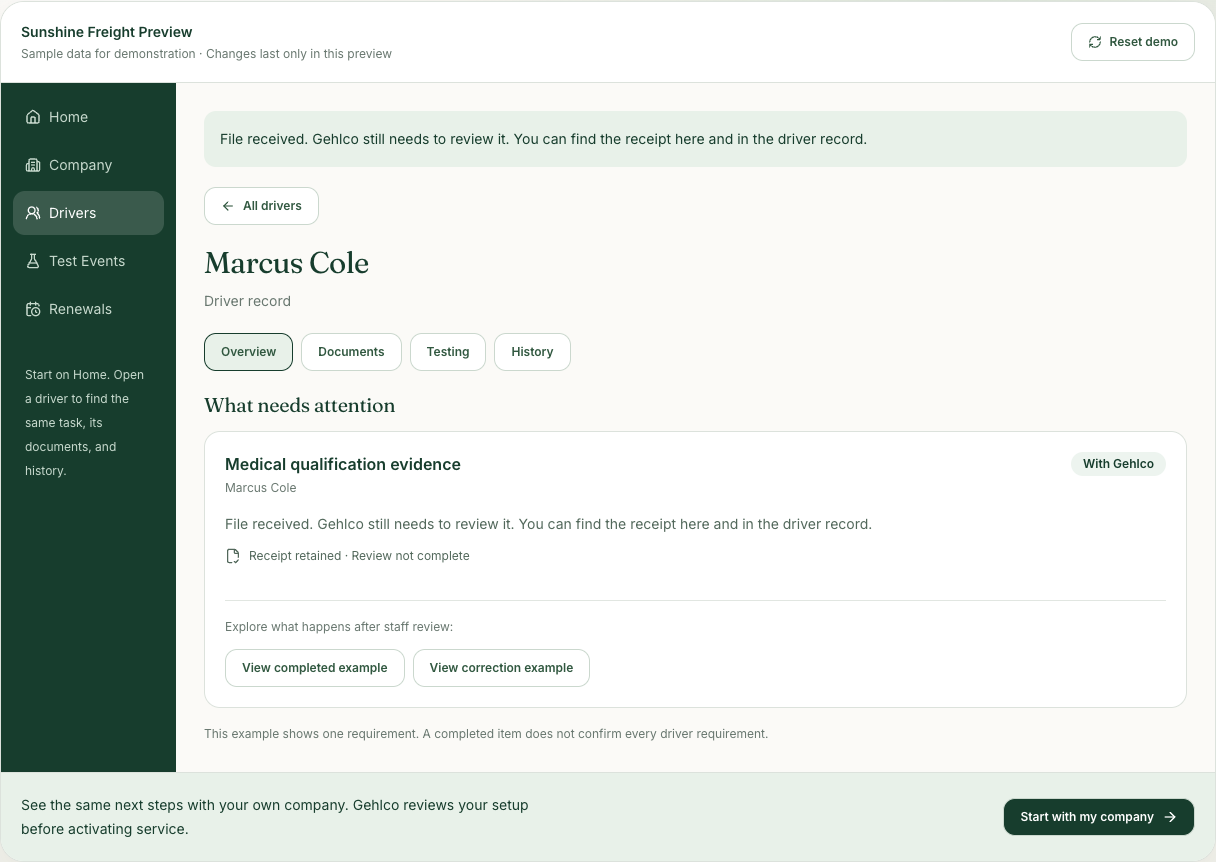
Requests, replies, receipts, review decisions, and retained source documents give the next person context. A replacement can resolve an open correction without erasing the original receipt.
A cut-off date becomes a clear request for a replacement.
Try sending Marcus’s sample file. The receipt moves the work to With Gehlco. Choose the correction example to see an unreadable expiration date return to Needs you. Send the sample replacement, view the completed review, and open History to see the whole sequence.
Clear work. Clear responsibilities.
The tools help prepare and organize the work. Key records and correspondence follow the relevant review and approval workflow. Asking for help or receiving a file does not complete a requirement, and a delivered message is separate from a recipient’s response.
Common questions
Do we need to clean up every file before starting?
No. Bring your current files and roster. Gehlco helps identify what can be used, what is missing, and what needs clarification. Some older or unusual file formats may need conversion or manual review.
Can AI approve everything for us?
No. Gehlco uses tools to organize and propose work with human review for key changes. A suggestion is not the same as a reviewed operational record.
Can we ask for help from a task?
Yes. The guided workspace keeps the question with the task so the next step is visible. A help request stays open work until the underlying requirement is addressed.
Keep exploring
The workflow works best when the handoffs stay connected.
- Driver readiness — Connect driver documents, medical qualification evidence, testing, and open reviews in one practical workspace.
- Testing & consortium — Keep random selections, test records, results, and follow-up work connected with Gehlco consortium support.
- Renewals & deadlines — Connect renewal dates, retained documents, reviewed completion, and the next cycle of work.