Give each status one useful meaning.
When a document arrives, your team should know it arrived. When someone checks it, that review should be visible. When the approved record is updated, that should be clear too.
| State | What it tells you | What it does not establish |
|---|---|---|
| Requested | Someone has asked for evidence or a response. | That the file arrived or the person acted. |
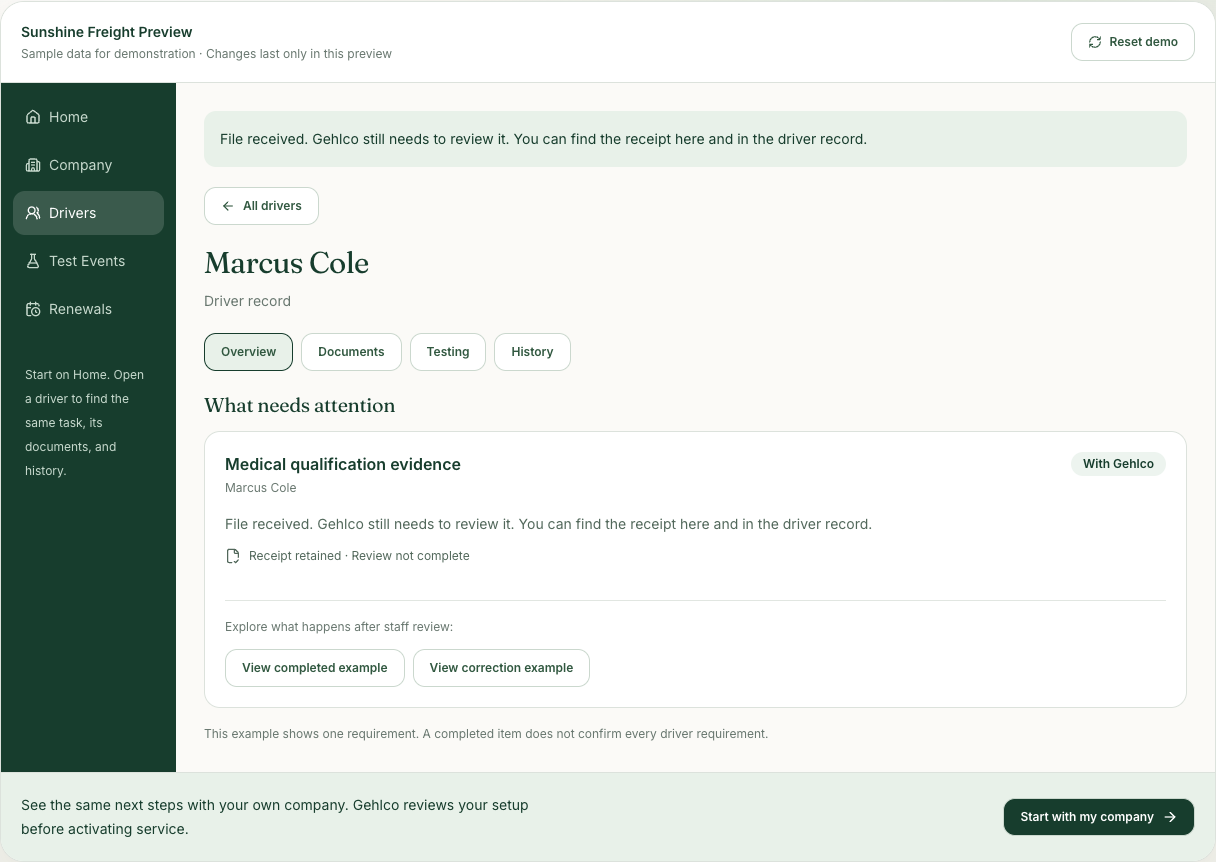
| Received | The file has arrived and a receipt is retained. | That the evidence is complete, acceptable, or approved. |
| Under review | The evidence is with the appropriate reviewer. | That the requirement is already completed. |
| Correction needed | A specific question or replacement is still outstanding. | That the original receipt should disappear. |
| Completed | The relevant review and approved update are recorded. | That every other requirement for the driver is satisfied. |
Follow one replacement through the whole sequence.
Imagine Marcus sends a photo of his medical qualification evidence. The file arrives, so the receipt belongs in the history. During review, Gehlco finds that the expiration date is cut off.
The next action is a specific request for a complete replacement. The original receipt is still true; the open correction is also true. A useful workflow preserves both.
When the replacement arrives, it gets its own place in the sequence. Staff review the evidence and save the approved update. Only then does that piece of work become complete.
Asking for help is a handoff, too.
If you cannot find the requested record or do not understand the next step, ask Gehlco from the task. Your question should travel with the work so the person helping can see the context.
A help request does not satisfy the underlying requirement. It tells your team who is working on the question. That is why Gehlco keeps Needs you, With Gehlco, and Completed separate.